Turn a Handwritten Shopping List Digital in Seconds
Snap a photo of that sticky note on the fridge and watch every line become a tidy, shareable list.
Plenty of households still scribble the grocery list on paper — a notepad on the counter, a sticky note on the fridge, the back of an envelope. It works right up until you're at the store squinting at someone else's handwriting, or you decide to "just retype it into my phone" and lose ten minutes you'll never get back.
You don't have to choose between paper and digital. With Kartov, you can keep jotting things down wherever it's convenient, then turn that paper list into a real, categorized, shareable list with one photo.
How to scan a list in 3 steps
- Tap the camera, choose "Scan a list." Point it at your handwritten note, a printed list, or even a whiteboard.
- Snap the photo. Kartov's AI reads each line and turns it into a separate item — sorted into categories like Produce, Dairy, and Pantry automatically.
- Review and add all. You get a clean checklist to confirm. Untick anything you don't want, then tap Add — the whole list lands in one go.
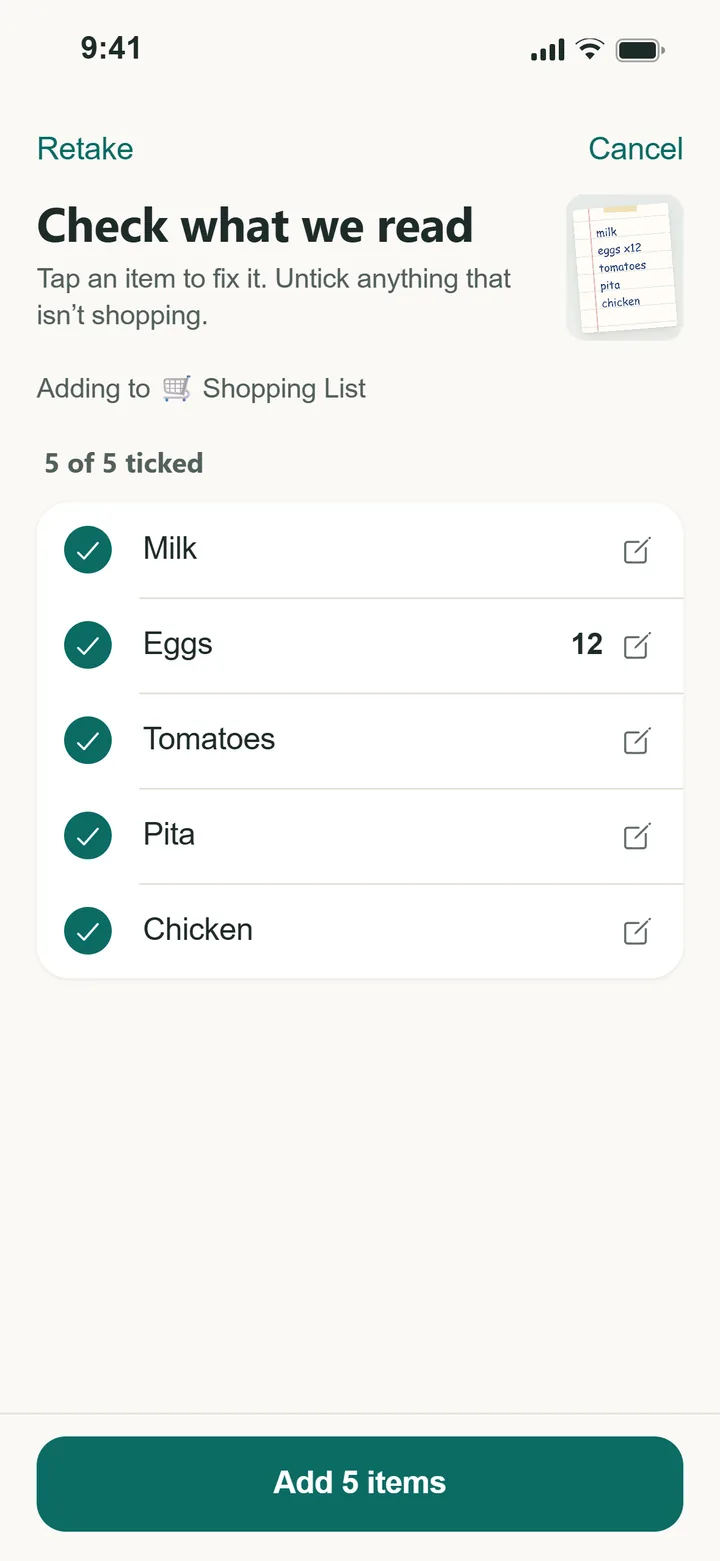
What it can read
- Handwriting — even quick, messy notes.
- Printed lists — a recipe's ingredients, a meal-kit insert, a school supply list.
- Multiple items per glance — a full column of items becomes a full list, not one entry you have to split up by hand.
When scanning beats typing
Scanning shines whenever the list already exists somewhere outside your phone:
- A roommate hands you a torn-off page before you head out.
- You're copying ingredients off a recipe card or cookbook.
- Someone texted you a photo of their handwritten list.
Prefer to add items one at a time?
You can also just point your camera at a single product and let AI identify it. See how Snap & Add works →
Stop retyping your lists
Snap a photo, review, done. Free to start on iPhone, Android, and web.
Get Started — Free