How to Share a Grocery List with Your Family
One list. Everyone's phones. Updated the moment anyone adds or checks something off.
If your household still coordinates groceries over text messages — "can you grab milk?", "did we already get eggs?", three people buying the same loaf of bread — you already know the problem. A grocery list only works when everyone is looking at the same list at the same time. That's exactly what a shared grocery list does: one list that lives on every family member's phone and updates in real time.
Here's how to set one up, why the usual workarounds fall short, and the features that actually matter when a whole family is adding to the same list.
Why texting the list (or a shared note) breaks down
Most families start with one of three approaches, and each one runs into the same walls:
- Group texts. The list gets buried under other messages, there's no single source of truth, and nobody can "check off" an item — you just hope the last person remembered.
- A shared note. Better, but notes apps don't categorize items, don't sync instantly across platforms, and turn into a messy wall of text you have to re-read at the store.
- Paper on the fridge. Useless the moment you're standing in aisle 7 without it.
The fix is a purpose-built shared list where adding an item, checking it off, and seeing who's shopping all happen live.
How to share a grocery list in 4 steps
Using Kartov, the whole setup takes about a minute:
- Create a home. A "home" is your household — it's what your lists, recipes, and meal plans live inside. Name it whatever you like ("The Smiths," "Apartment 4B").
- Invite your family. Share your home's invite code or link. Everyone who joins instantly sees the same lists — on iPhone, Android, or the web.
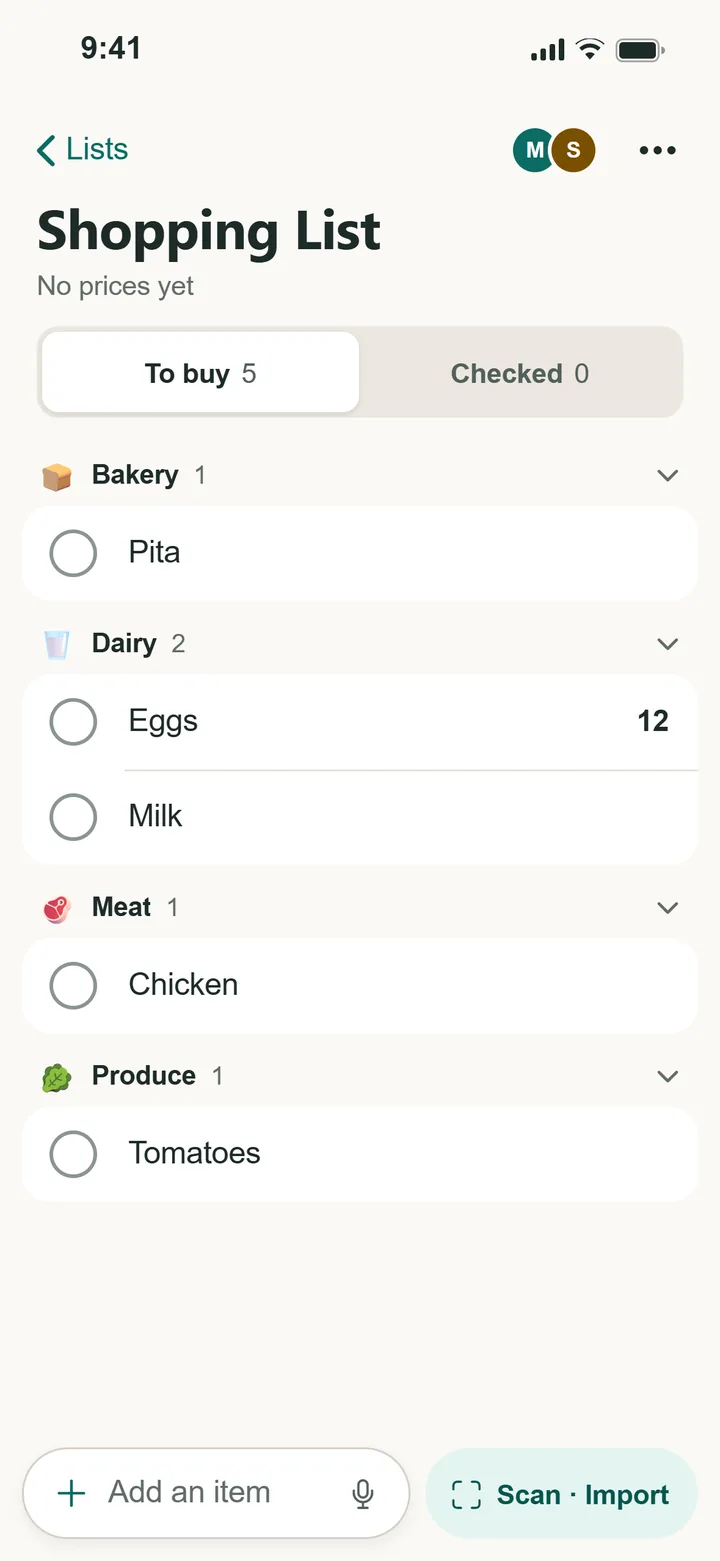
- Add items. Type them, snap a photo of an item, or scan a handwritten list. Each item is auto-sorted into a category like Produce or Dairy so the list stays organized on its own.
- Shop in real time. Whoever's at the store checks items off as they go, and everyone else sees them disappear live — so no one buys a duplicate.
What makes a family grocery list actually work
Sharing a list is the easy part. These are the features that keep it from turning back into a mess:
- Real-time sync. Check off "milk" on your phone and your partner sees it vanish from theirs a second later. No refresh, no "did you get this?"
- Presence indicators. See when someone else is actively shopping the list, so you don't both head to the store.
- Automatic categories. Items group by aisle (Produce, Dairy, Pantry…), which means less backtracking in the store.
- Works offline. Spotty signal in the back of the warehouse store? Keep checking items off — it syncs when you reconnect.
- Cross-platform. One household almost always means a mix of iPhones and Androids. A shared list has to work on both, plus the web.
Faster than typing
You don't have to type every item. Point your camera at something on the counter and Kartov's AI adds it to the right category, or photograph a handwritten list and it reads every line at once. See how Snap & Add and Scan a List work →
Tips for keeping a shared list tidy
- Set up recurring staples. Items you buy every week (milk, eggs, coffee) can re-add themselves automatically so nobody has to remember them.
- Use separate lists for separate trips. A "Weekly Groceries" list and a "Costco Run" list keep bulk shopping from cluttering your everyday list.
- Let categories do the sorting. Resist manually reordering — automatic categories already group items the way the store is laid out.
Start a shared list with your family — free
Create a home, invite your household, and you're shopping off the same list in under a minute.
Get Started — Free